

New for iPhone & iPad
Meet FixYourDeck
Measure Align Diagnose Document your cassette deck like a pro workshop.
What it is
The repair shop’s measurement bench, in your pocket
FixYourDeck turns an iPhone and a small USB audio interface into the measurement bench that cassette repair shops used to own. It generates calibrated test tones into your deck’s record input, listens to what actually comes back off the tape, and tells you in numbers what your ears only suspect: dull highs, speed wobble, hiss, distortion, a head that has drifted out of alignment.
Until now that meant a signal generator, a wow-and-flutter meter, a spectrum analyser, a distortion meter and a drawer full of test tapes. FixYourDeck replaces the lot with one app, one small USB audio interface, one cable pair and the deck you already have. Everything is measured on the device, nothing is uploaded, and the result is a proper measurement protocol you can print, save or send to a customer.
See it in action
The whole bench, in action
Measure
Frequency response you can read at a glance
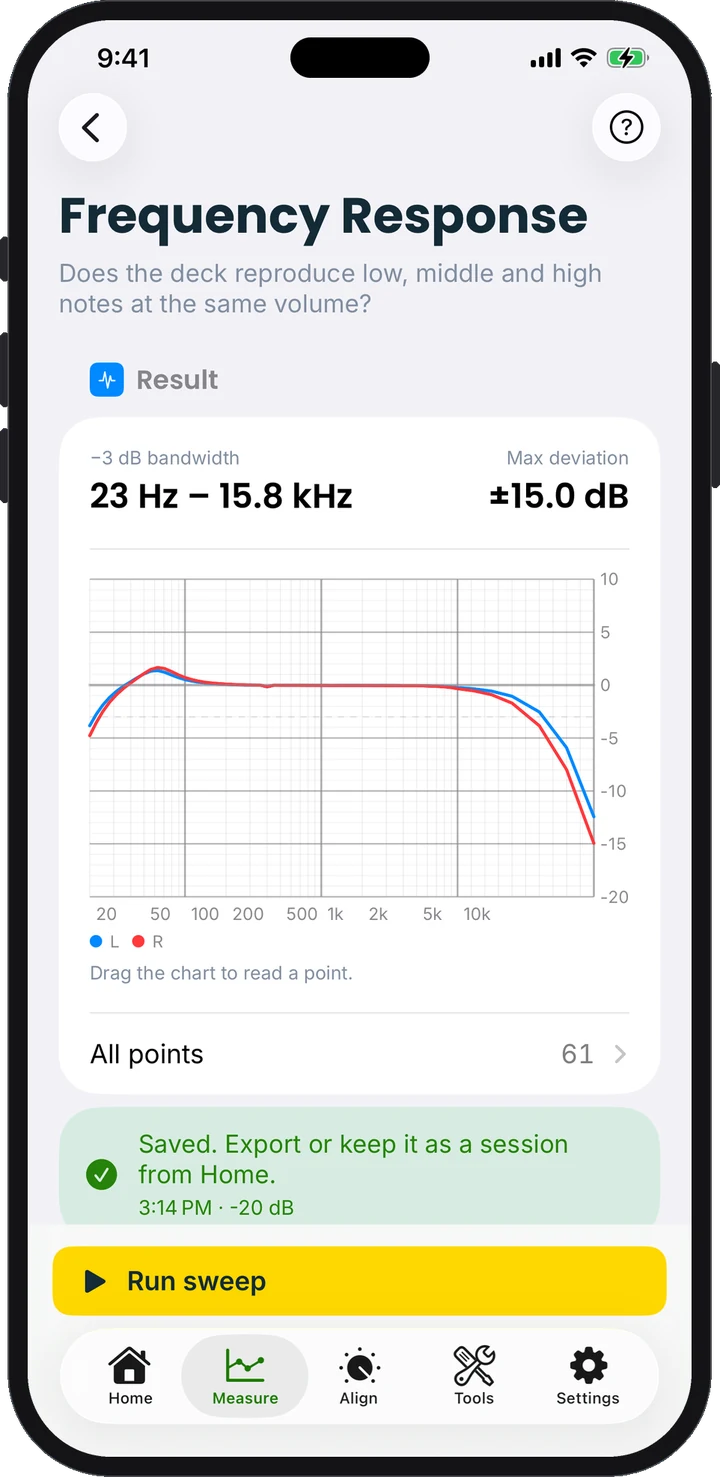
A stepped sweep at −20 dB on both channels, normalised to 315 Hz and drawn as a chart you can drag to read any point. A loopback baseline removes what the interface and the deck electronics do on their own, so the curve shows the tape path alone.
- 20 Hz – 20 kHz, both channels
- −3 dB bandwidth and maximum deviation
- Loopback baseline correction
Measure
Wow & flutter, the way the meters did it
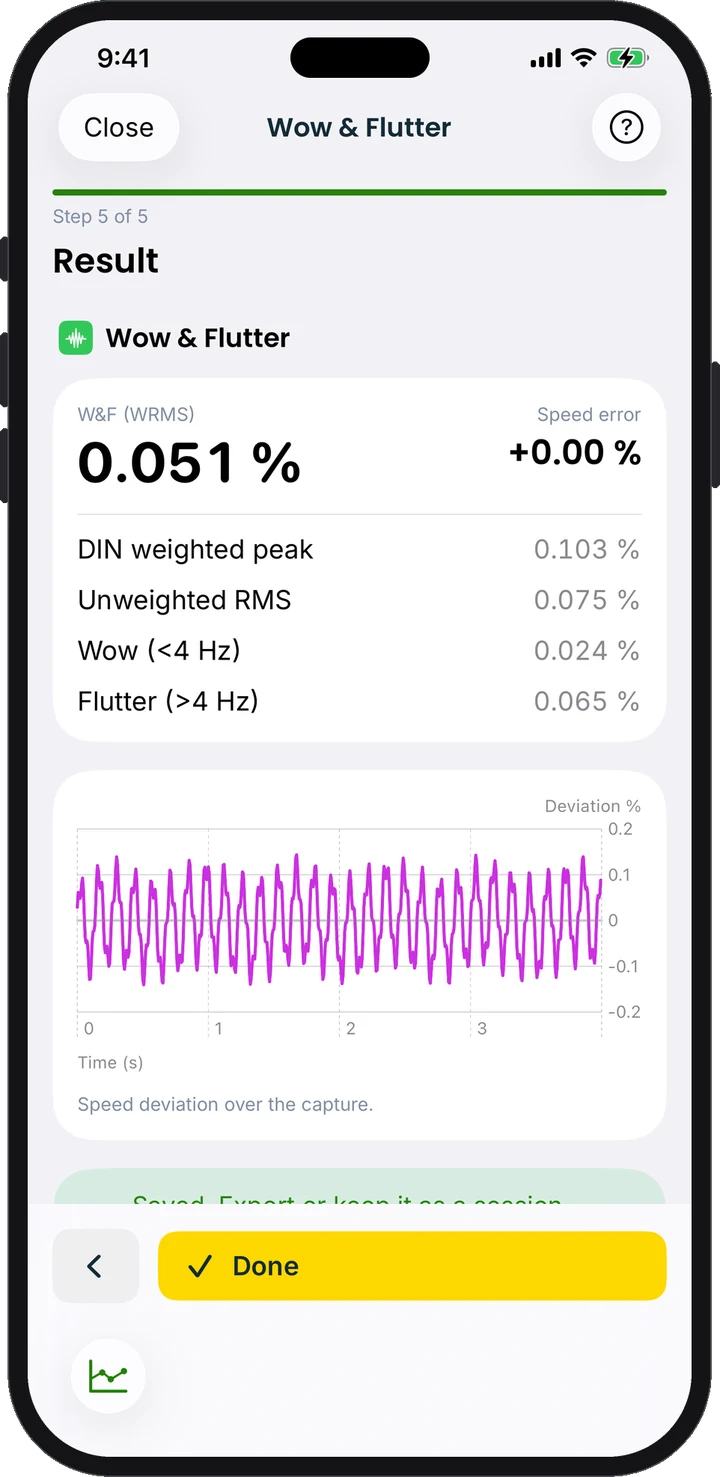
FM demodulation of a 3150 Hz (DIN) or 3000 Hz (JIS/NAB) tone gives every figure a service manual quotes, from one capture. Below 0.1 % DIN is a healthy deck, and the Flutter Spectrum tells you whether the capstan or the pinch roller is to blame.
- DIN weighted peak, NAB/JIS weighted RMS, unweighted
- Wow / flutter split and speed error
- Live speed-deviation trace
Align
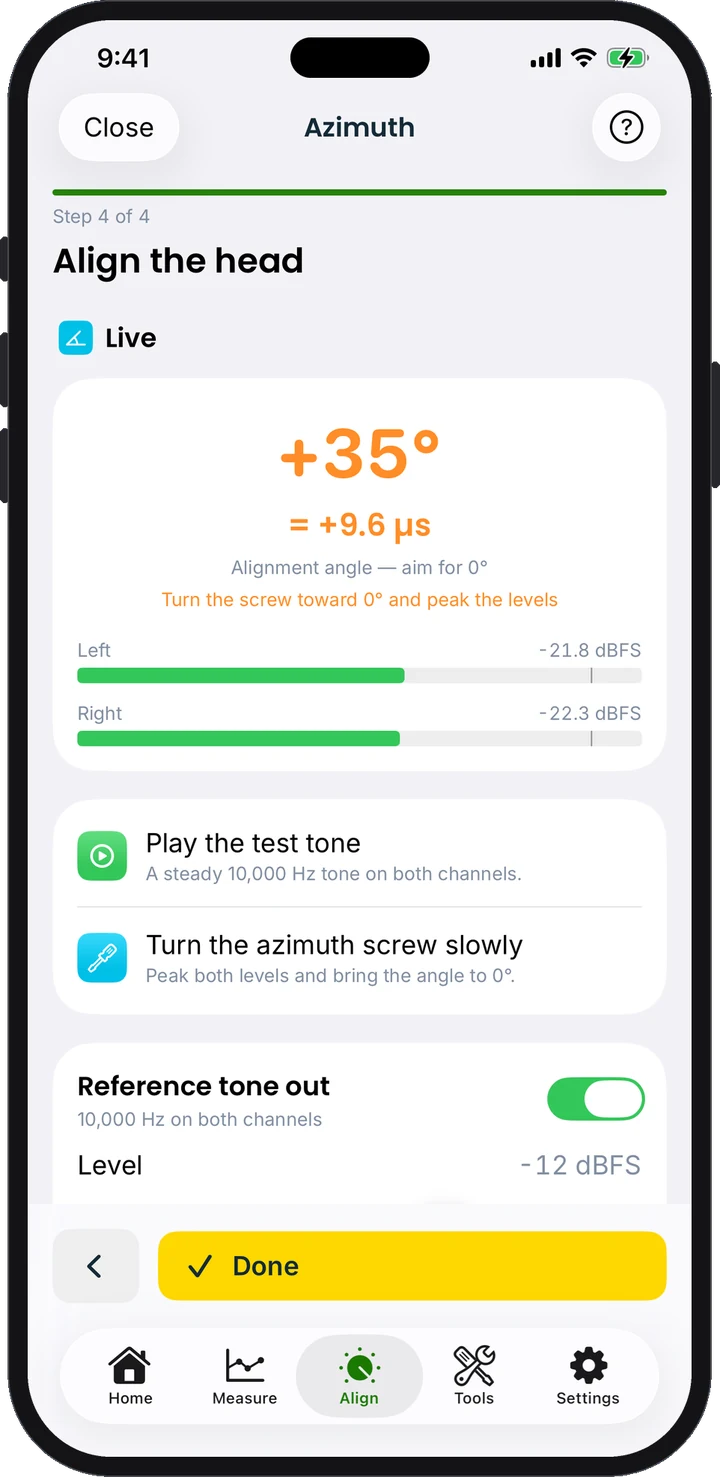
Bring dull highs back in one minute
A live high-frequency level meter with inter-channel phase and correlation, built as a step-by-step wizard. Turn the tiny screw next to the head while watching the meter and stop at the peak: the single adjustment that brings dull-sounding decks back to life.
- Live HF level per channel
- Phase angle and correlation
- Guided, step by step
Measure
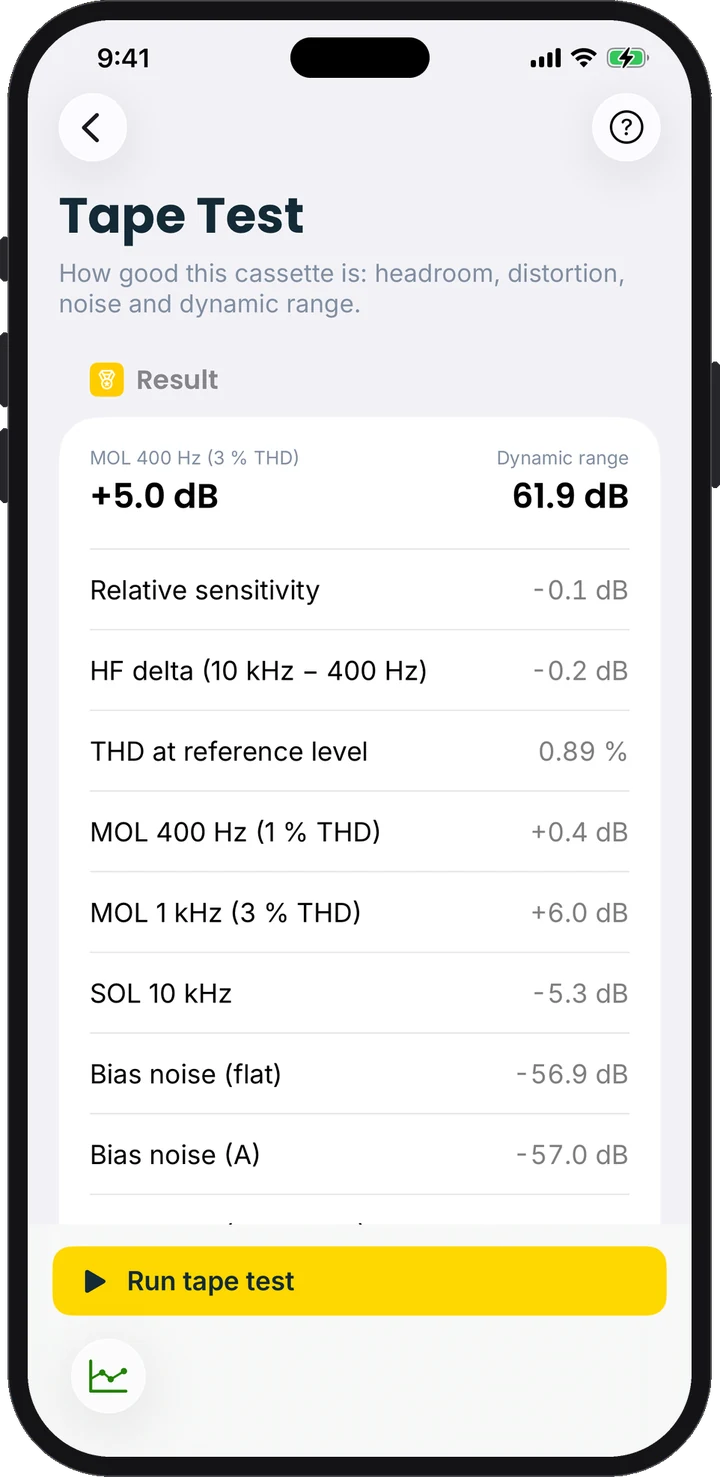
Grade the tape, not just the deck
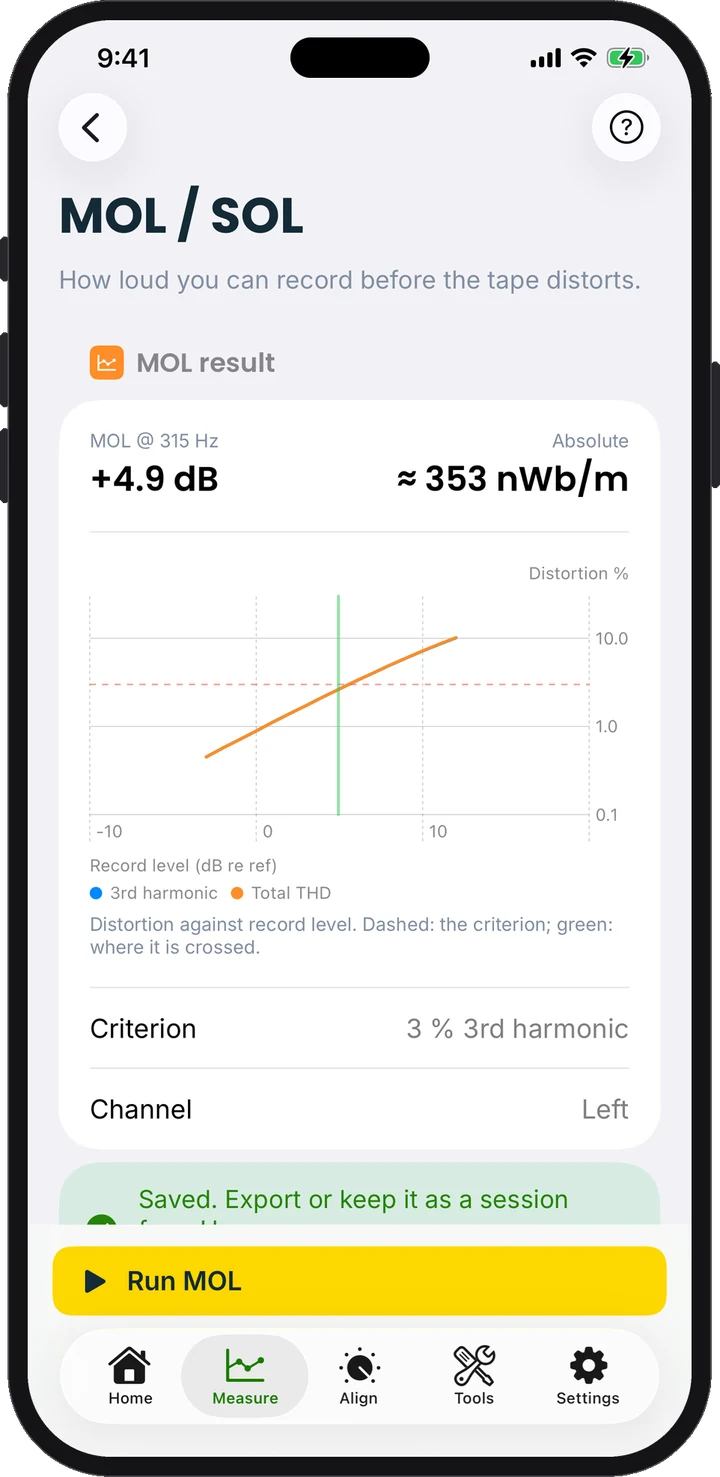
Tape Test grades a cassette the way tape reviews used to: sensitivity, HF delta, MOL at 400 Hz and 1 kHz, SOL at 10 kHz, bias noise and dynamic range in one 90-second run. On the same calibrated deck the figures are directly comparable, type against type.
- MOL / SOL with full distortion curves
- Noise unweighted, A-weighted and CCIR-468
- One 90-second run per cassette
Document
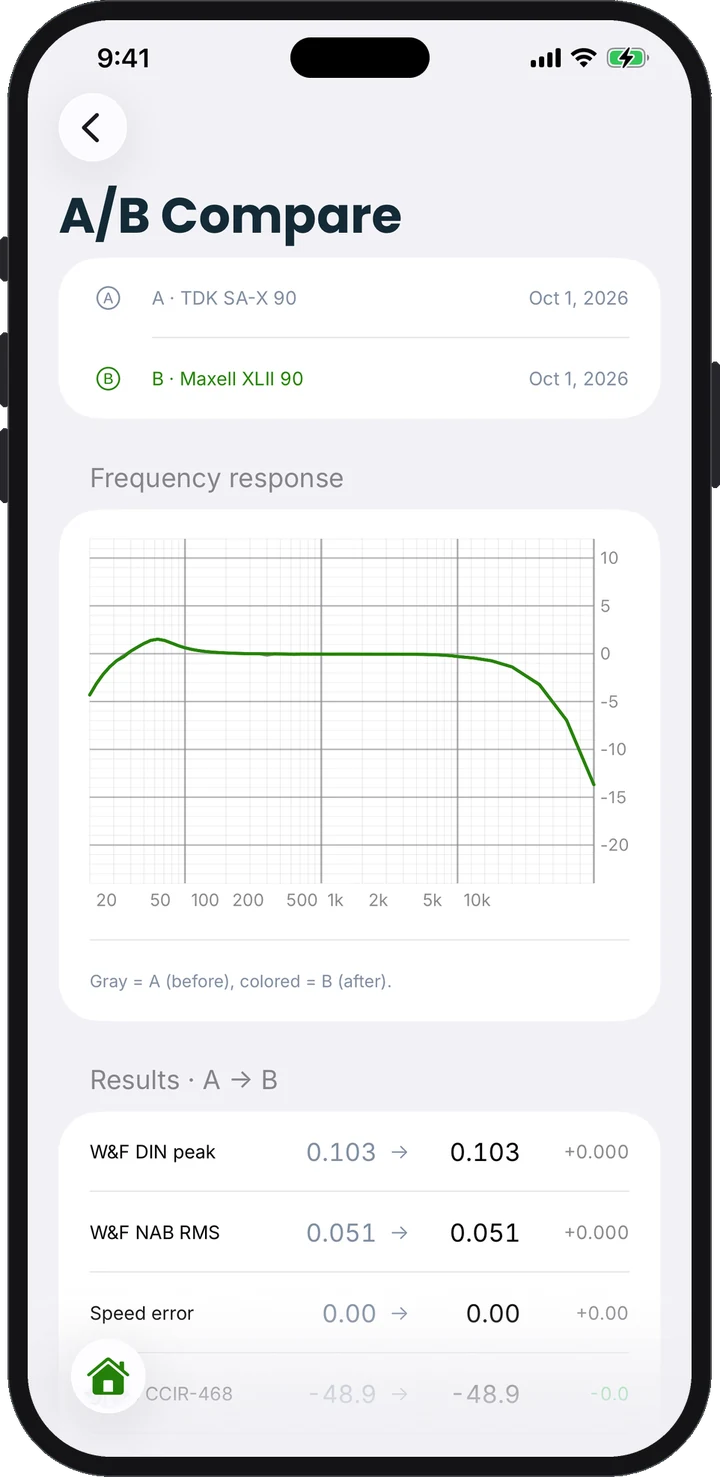
Before and after, in one PDF
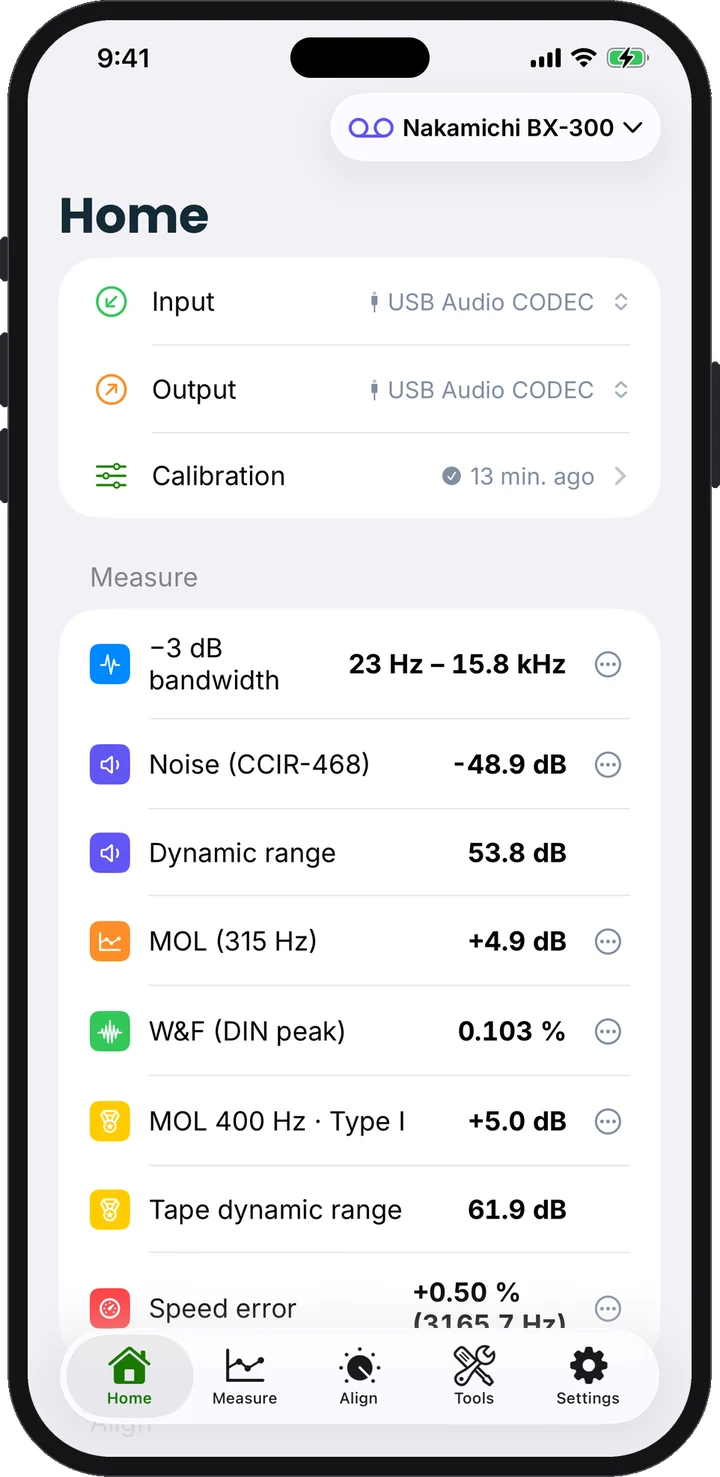
Every result lands on Home, grouped by the tab that produced it. Save a session before the service and one after, and A/B Compare overlays both with every delta. One tap exports a Deck Measurement Protocol PDF with your workshop’s name in the header.
- Deck profiles keep each deck’s calibration and history
- A/B overlay of any two sessions
- PDF protocol, plus JSON and CSV data
Free, no purchase needed
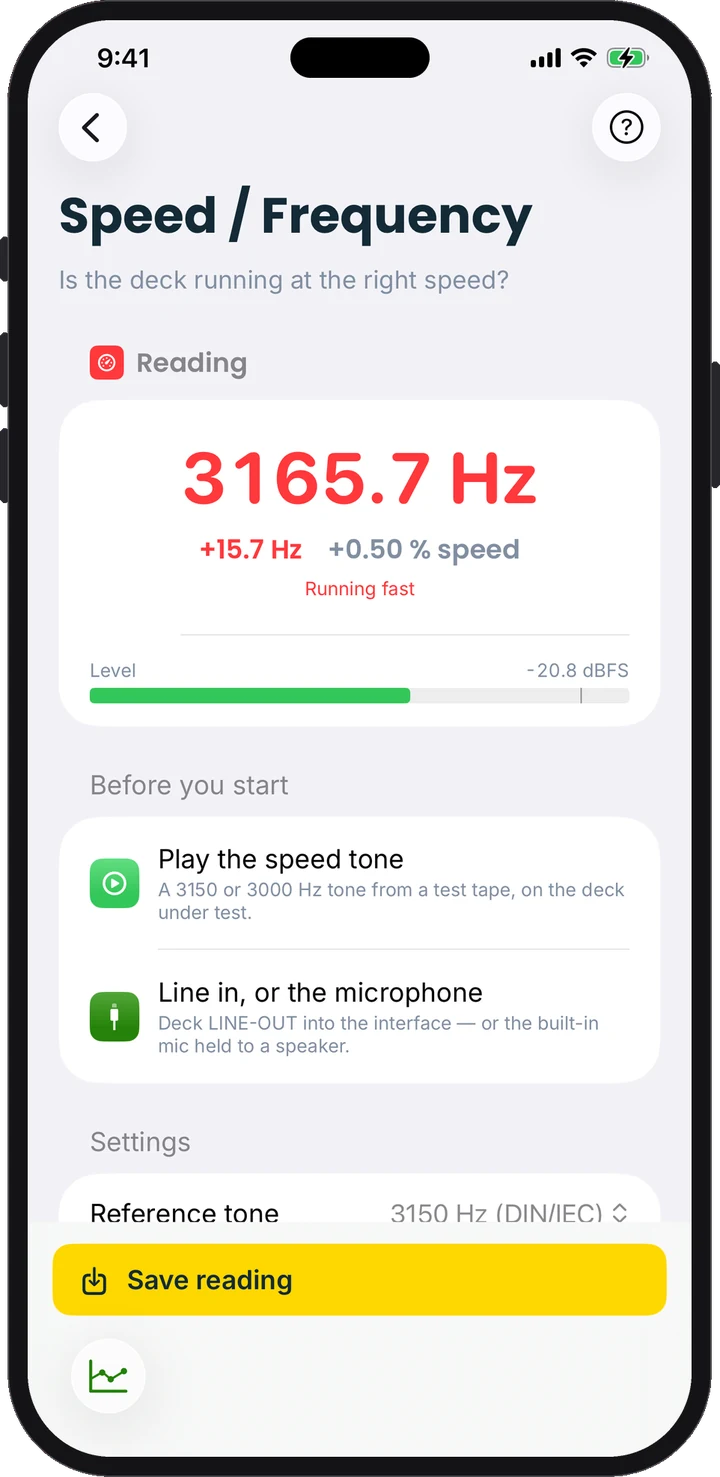
Is your deck running at the right speed?
Play a 3000 or 3150 Hz speed tone and FixYourDeck counts it to a tenth of a hertz: through the interface, or simply with the iPhone’s microphone held to a Walkman speaker. Download the app and check your deck today.
Align · Tools · Diagnostics
A whole workshop of tools
Beyond the headline measurements: alignment assistants, live analysers and diagnostics that point at the part to replace, not just the symptom.
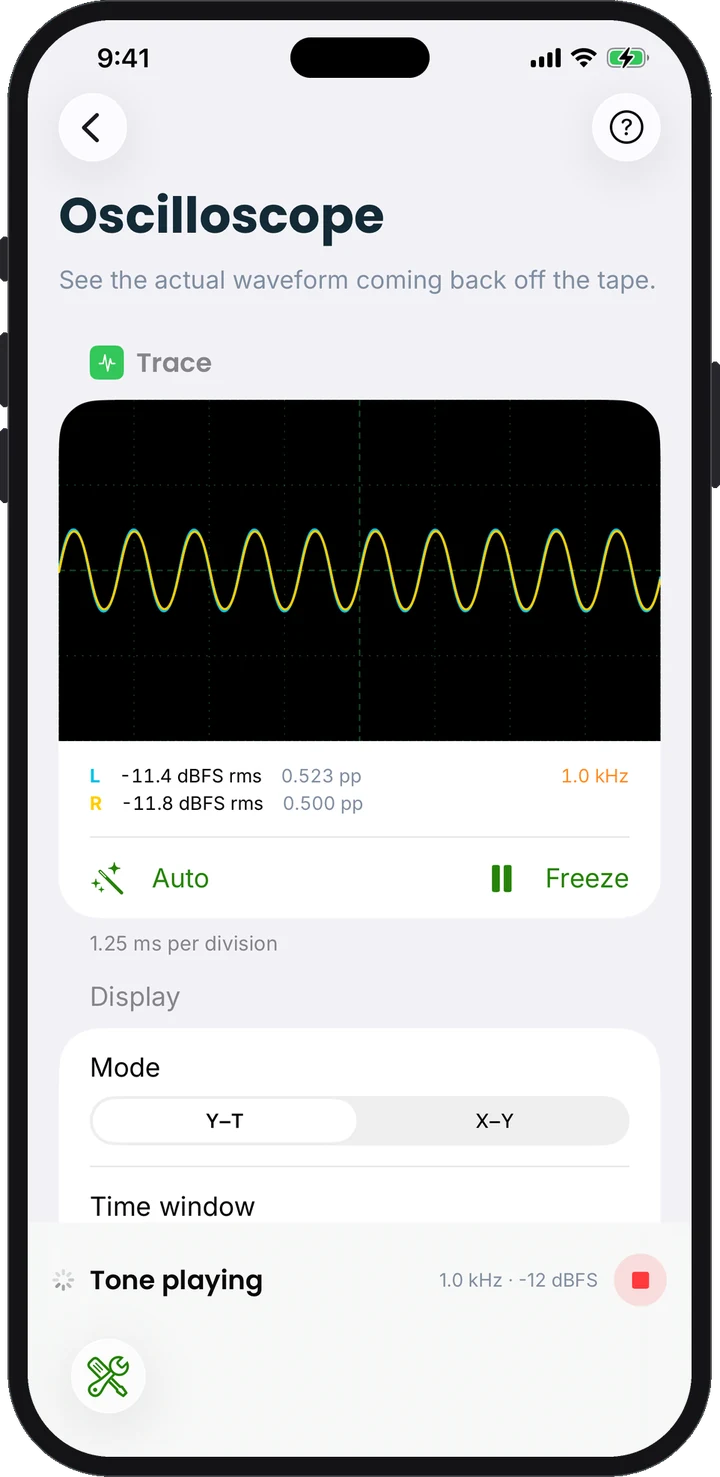
Oscilloscope
The real waveform coming back off the tape.
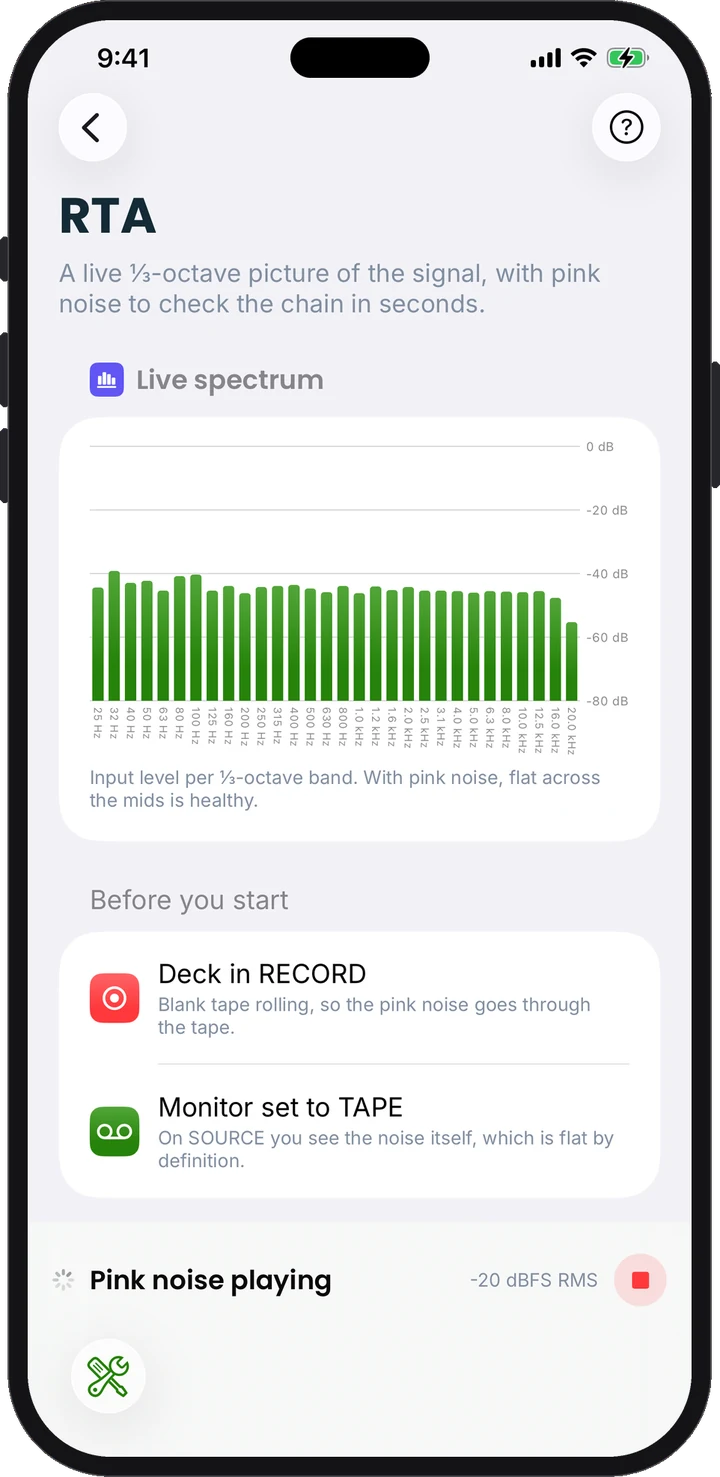
RTA Quick Check
⅓-octave spectrum with pink noise, in seconds.
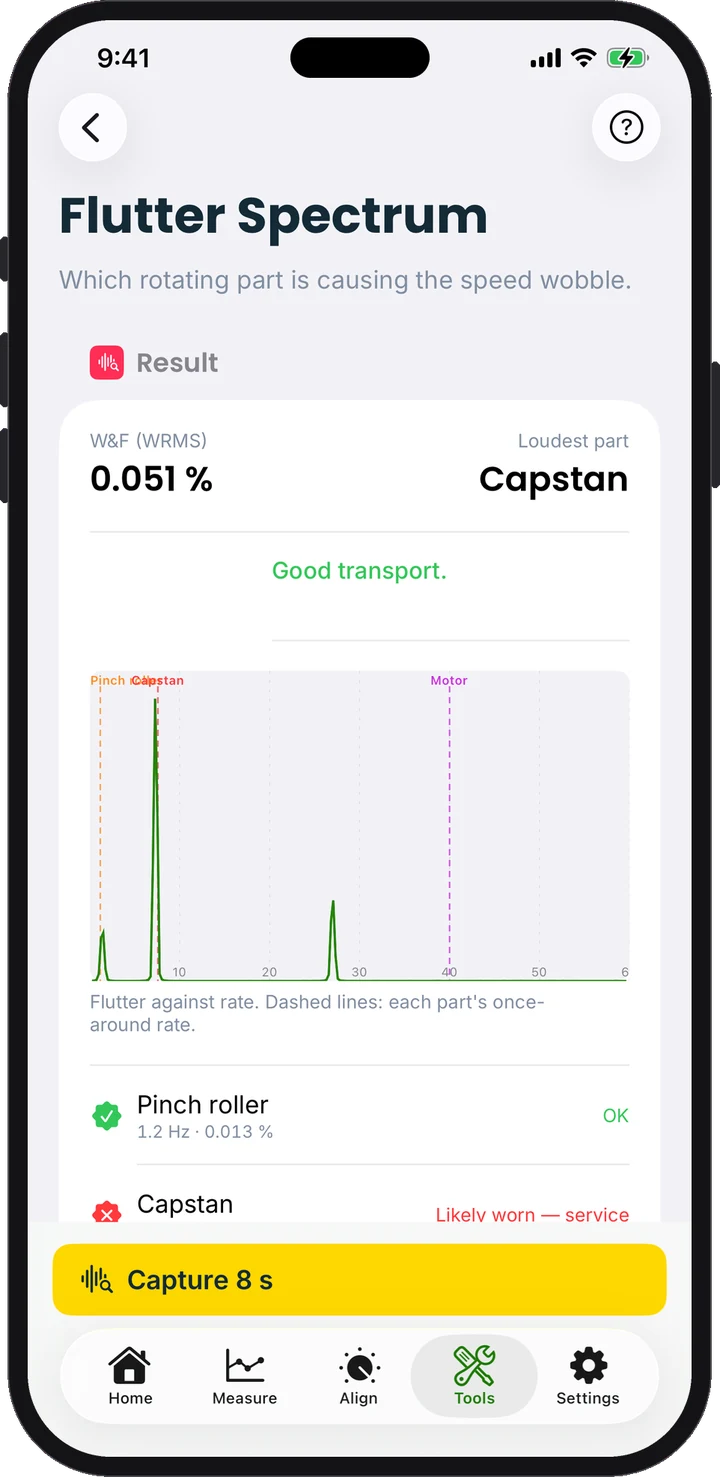
Flutter Spectrum
Names the worn part: capstan, roller or motor.
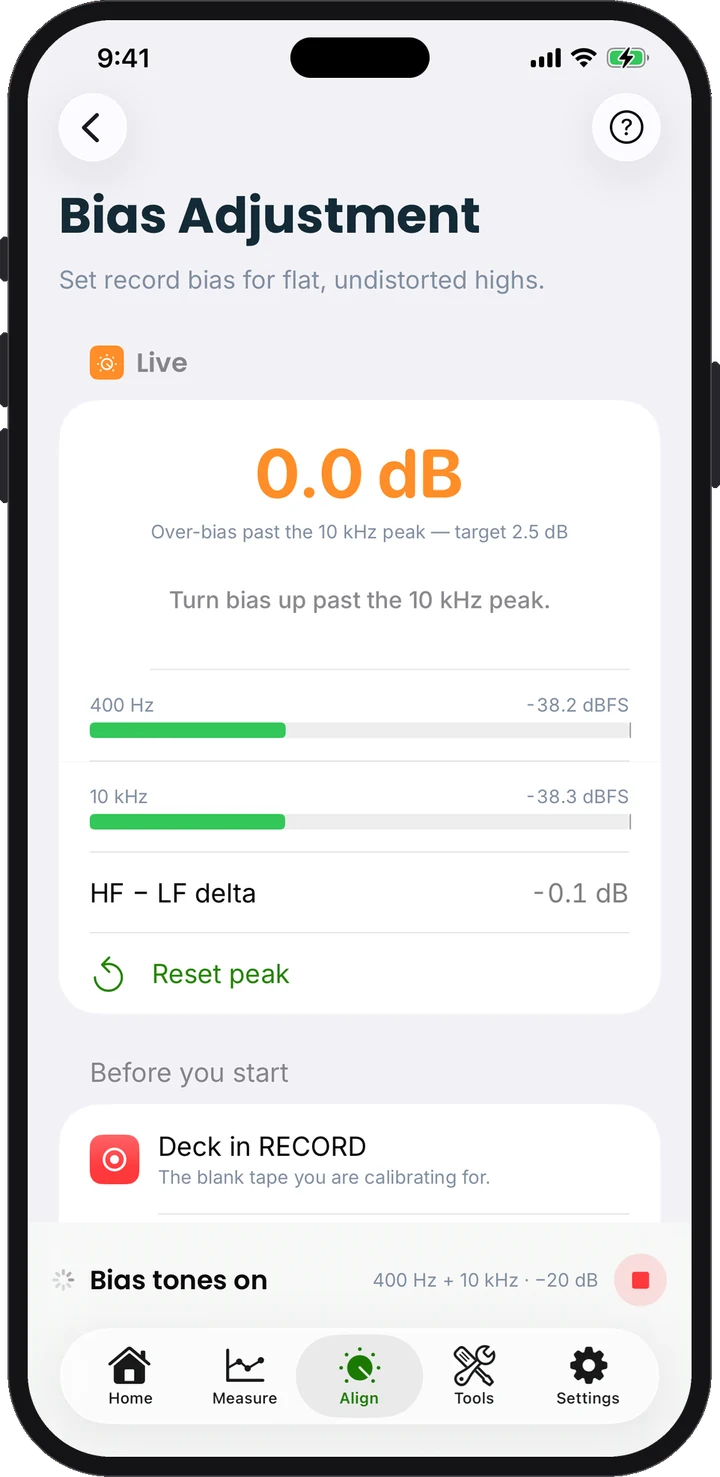
Bias Adjustment
400 Hz and 10 kHz together, with peak hold.
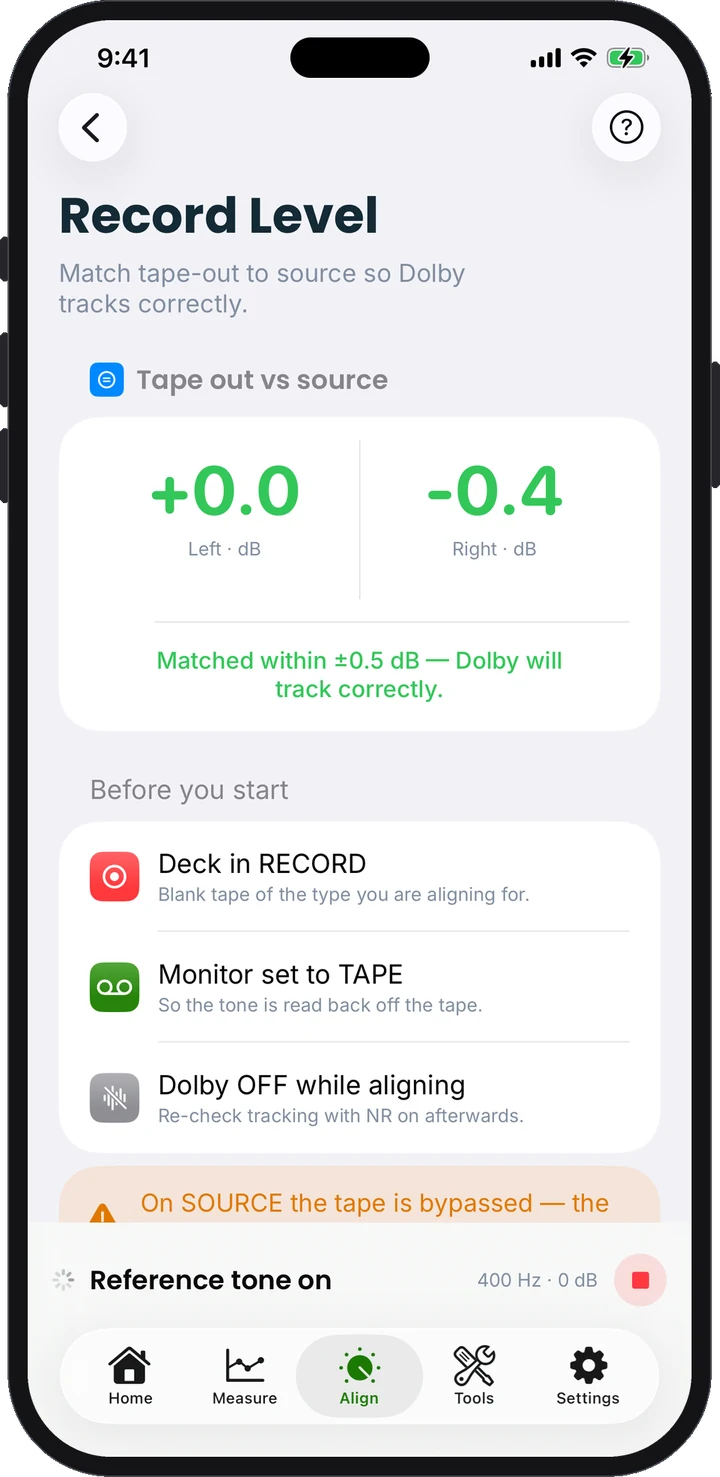
Record Level
Matches tape to source so Dolby tracks.
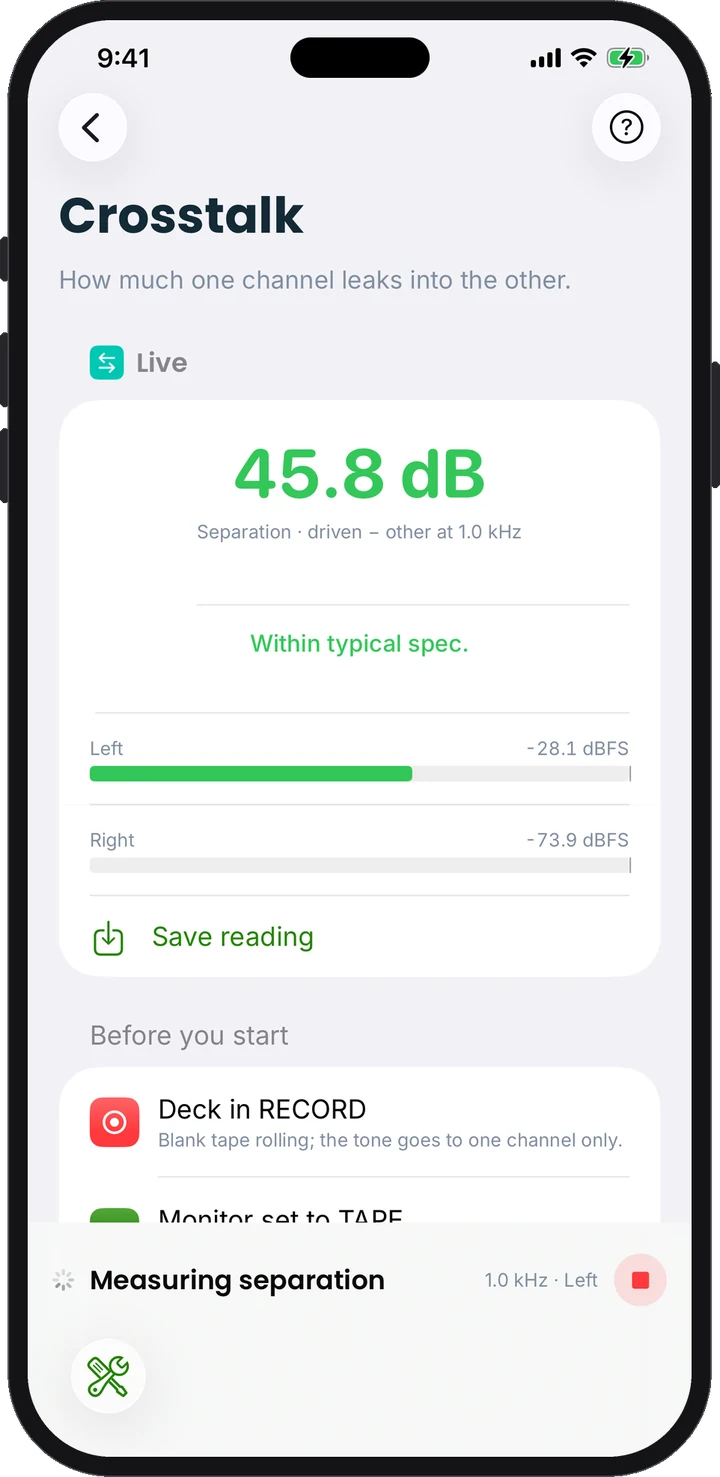
Crosstalk
How much one channel leaks into the other.
Also inside: Tape Test, Measurement Test Tones for 2-head decks, Playback Alignment, Deck Meter Check, Signal Generator, Dropout Counter, Speed Drift, Erase Efficiency and Modulation Noise.
| Tab | Feature | What it tells you |
|---|---|---|
| Home | Results dashboard | Every live result of the selected deck, grouped by the tab that produced it, with a read-only detail view per row |
| Home | Bench status | Which interface is in use, where iOS routes the output, how old the calibration is, and a “still the same deck?” check on every reconnect |
| Home | Spec Check | Pass/fail of the current results against the deck’s spec (W&F max, S/N min, response window), with class-typical presets |
| Home | Export | One Deck Measurement Protocol PDF with every number in tables, plus JSON and CSV data |
| Home | Sessions | Save a session, start a new one, browse saved sessions per deck, compare any two on an overlay with colour-coded deltas |
| Measure | Frequency Response | Stepped sweep, both channels, −3 dB bandwidth and max deviation, with a loopback baseline |
| Measure | Noise & Dynamic Range | Tape hiss unweighted, A-weighted and CCIR-468, and the room between hiss and distortion |
| Measure | MOL / SOL | Maximum output level at 3 % THD (315 Hz) and saturation output level at 10 kHz, with full distortion and compression curves |
| Measure | Wow & Flutter | DIN weighted peak, NAB/JIS weighted RMS, unweighted, wow/flutter split and speed error |
| Measure | Tape Test | Grades the cassette rather than the deck: sensitivity, HF delta, MOL at 400 Hz and 1 kHz, SOL, bias noise, dynamic range, in one 90-second run |
| Measure | Measurement Test Tones | Writes a self-describing test tape with digital markers; play it on any 2-head deck and the app decodes response, W&F and speed |
| Align | Bias Adjustment | 400 Hz and 10 kHz played together while you turn the bias trimmer, with stability-gated peak hold and per-tape-type over-bias targets |
| Align | Record Level (Dolby) | Matches tape-out to source per channel so Dolby tracks correctly, PASS within ±0.5 dB |
| Align | Azimuth | Live HF level, phase and correlation to set the head square to the tape |
| Align | Playback Alignment | Level, EQ, azimuth, speed and W&F against a calibration tape, with IEC and TEAC presets |
| Align | Meter Check | Does the deck’s own meter tell the truth? 315 Hz steps from −10 to +3 dB logged against the actual tape level |
| Tools | Speed / Frequency | Precise frequency counter for a 3000/3150 Hz tone, via the interface or the built-in mic held to a Walkman speaker. Free |
| Tools | Scope | The actual waveform coming back off the tape, with a volts scale once you enter one reference reading |
| Tools | Tone Generator | Any frequency and level into the deck, for manual alignment and checks |
| Tools | RTA Quick Check | Live ⅓-octave spectrum with a pink-noise source, to see in seconds whether the whole chain is tilted |
| Tools | Flutter Spectrum | FFT of the flutter waveform with capstan, pinch-roller and motor markers, so it names the worn part |
| Tools | Dropout Counter | Counts momentary level dips with time, depth and duration; periodic spacing points at the dirty part |
| Tools | Speed Drift | Tape speed across a whole cassette side, first 30 s against last 30 s |
| Tools | Erase Efficiency | How completely the deck erases a 1 kHz recording; 60 dB or better passes |
| Tools | Crosstalk | How much one channel leaks into the other, and reverse-track bleed with a test tape |
| Tools | Modulation Noise | Noise that exists only while signal is playing, a sign of transport or tape-contact trouble |
| Settings | Audio | Engine status, input choice, sample rate and buffer, automatic start when an interface appears |
| Settings | Calibration | The guided 0 dB wizard, with deck meter, app level or calibration tape as the reference |
| Settings | Decks | Deck profiles with make, model, serial, notes and spec; each deck keeps its own calibration, results and sessions |
| Settings | Measuring | Measurement defaults and the workshop header printed on every protocol |
| Settings | Appearance, Language | Light and dark themes, 16 languages |
The whole app runs offline: no account, no analytics, no tracking, and nothing ever leaves the phone unless you tap Share.
Getting started
What you need
No test bench, no signal generator, no drawer of test tapes. Just this:
An iPhone or iPad
on iOS 16 or newer.
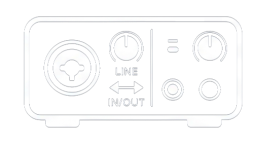
A class-compliant USB (or Lightning) audio interface
with line in and line out. Any small two-channel recording interface will do. The phone’s own headphone jack is not usable: iOS processes that audio and it is not line level.
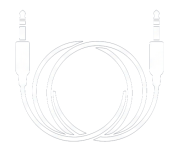
Two audio cables
Interface out to the deck’s line in, deck line out to the interface in.
A blank cassette
you do not mind recording over.
A 3-head deck with a Tape/Source monitor switch gives you the full experience, because it can play back what it records a fraction of a second later. That lets the app drive the record head and read the result off the tape in real time. 2-head decks work too: the app writes a self-describing test tape, you record it, play it back, and the app decodes the results from the playback.
One optional extra: a calibration tape (an IEC or TEAC reference tape) gives you absolute flux levels and unlocks the playback-side alignment tools. Without one, the deck’s own meter is a perfectly good starting point.

Who it is for
Built for people who open decks up
The weekend restorer
You bought a deck that "works" and want to know what it really does. Plug in, calibrate against the deck's own meter, run the four measurements in the Measure tab, and you have a frequency response curve, a wow-and-flutter figure and a noise floor in under ten minutes. If the highs are dull, Azimuth shows you the screw to turn. If the pitch wavers, Flutter Spectrum tells you whether it is the pinch roller or the capstan before you order parts.
The repair technician
Save a "before" session, do the service, save an "after" session, and the comparison view puts both on one chart with every delta coloured by whether it improved. Export the protocol PDF with your workshop's name in the header and hand it to the customer with the invoice. Deck profiles keep every customer's deck, calibration and history apart, and Spec Check gives a pass/fail against the service-manual numbers.
The tape collector
Tape Test grades a cassette the way tape reviews used to, with sensitivity, headroom, saturation, bias noise and dynamic range in one run. Record every tape on the same calibrated deck and the figures are directly comparable, type against type and year against year.
The Walkman owner
The free Speed / Frequency screen reads a test tone through the phone's microphone, so a portable with no line out can at least be checked for speed.
Hear what your deck really does
Plug in, calibrate, measure. Your first full report takes about ten minutes.
Free download, Speed / Frequency free forever. FixYourDeck Pro is a single one-time purchase, no subscription.
English, Czech, Slovak, German, French, Spanish, Italian, Portuguese (Brazil), Polish, Hungarian, Romanian, Russian, Ukrainian, Japanese, Korean and Simplified Chinese.
Made by FixYourAudio in Košice, Slovakia · Questions? fixyouraudio.com/contact